Information and advice
Clear advice to help choose a computer, software, an online service or the next step in your project.
IT support · Individuals & businesses
Neonatis helps you set up, maintain and improve your IT environment at home and at work.
 By your side at every step
IT services
One-time help or ongoing support: we’ll find the right approach together, without unnecessary work.
Clear advice to help choose a computer, software, an online service or the next step in your project.
An overview of your computers, software, accessories, network or backup practices, with clear priorities.
Set up a computer, install software, and configure accounts, accessories and everyday tools.
Organize backups, transfer data and verify that backups are working correctly.
Guided help or remote access with your consent to diagnose and resolve supported issues.
Updates, maintenance, troubleshooting and advice to keep your environment suited to your needs.
A clear process
Understand the need and context.
Identify the cause and priorities.
Agree on the solution before taking action.
Test, explain and advise.
Who is it for?

At home
You want to get a computer working again, install a printer, get settled after changing equipment or better protect your files.

At work
You need technical support for your computers, business tools or IT setup.
Remote assistance with RustDesk
With your permission, RustDesk lets you share your screen. We can help install it, start a one-time session or configure your private server.
Choose the version for your computer on the official RustDesk page. On Windows, download the installer; on macOS or Linux, choose the package for your system.
Open RustDesk downloads (new tab)Run the downloaded file and follow the instructions. On macOS, allow the requested screen-sharing permissions in Privacy settings. Open RustDesk and keep the default network settings for a standard session.
In “Your desktop”, find the ID and one-time password. Share them only with your support technician, then approve the connection request.
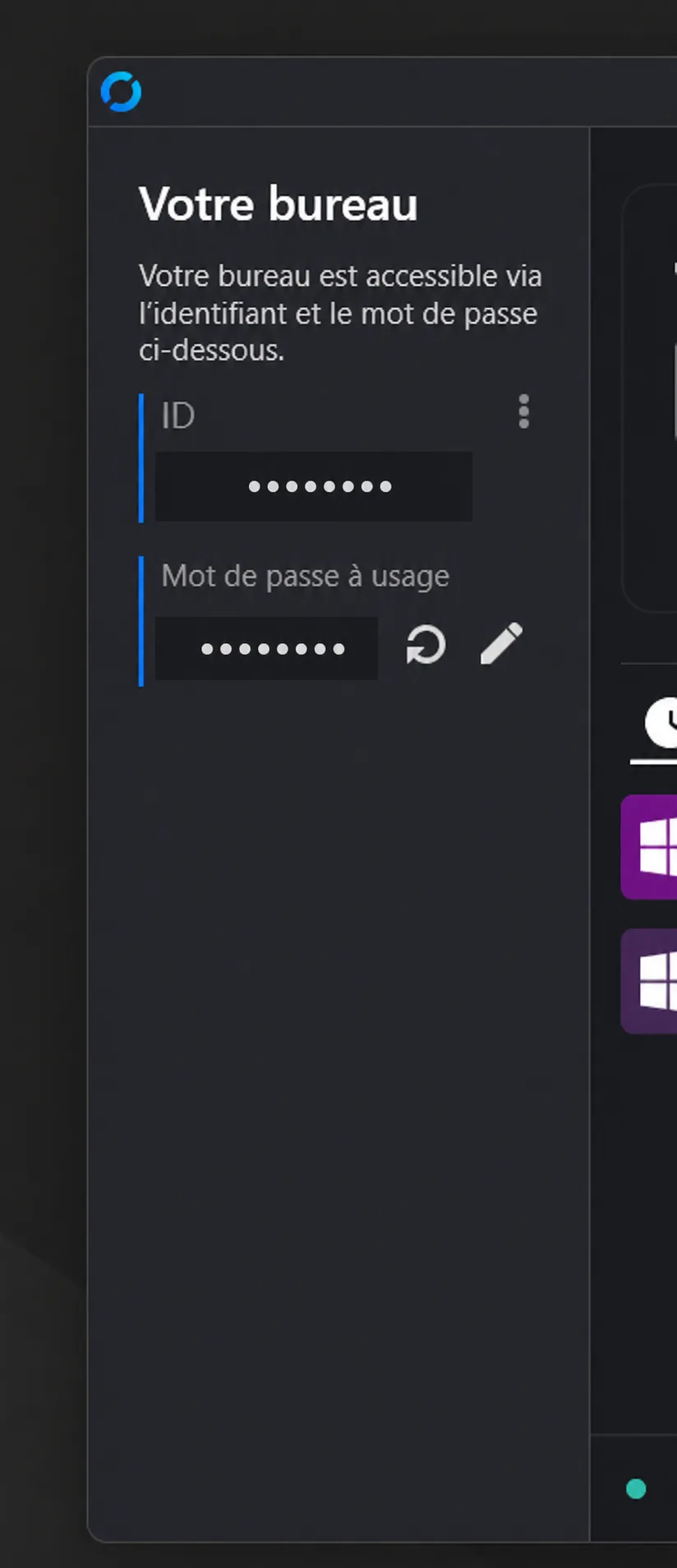
The credentials in this screenshot are obscured. Never share a permanent password, and stay in control of your computer during the session.
To configure the Neonatis server, follow the numbered steps in the image: open the menu (1), choose “Network” (2), then “ID/Relay server”. Copy the configuration with the button below. In RustDesk, click the paste icon (3), then “OK”. Leave these settings unchanged if you use RustDesk’s public servers.
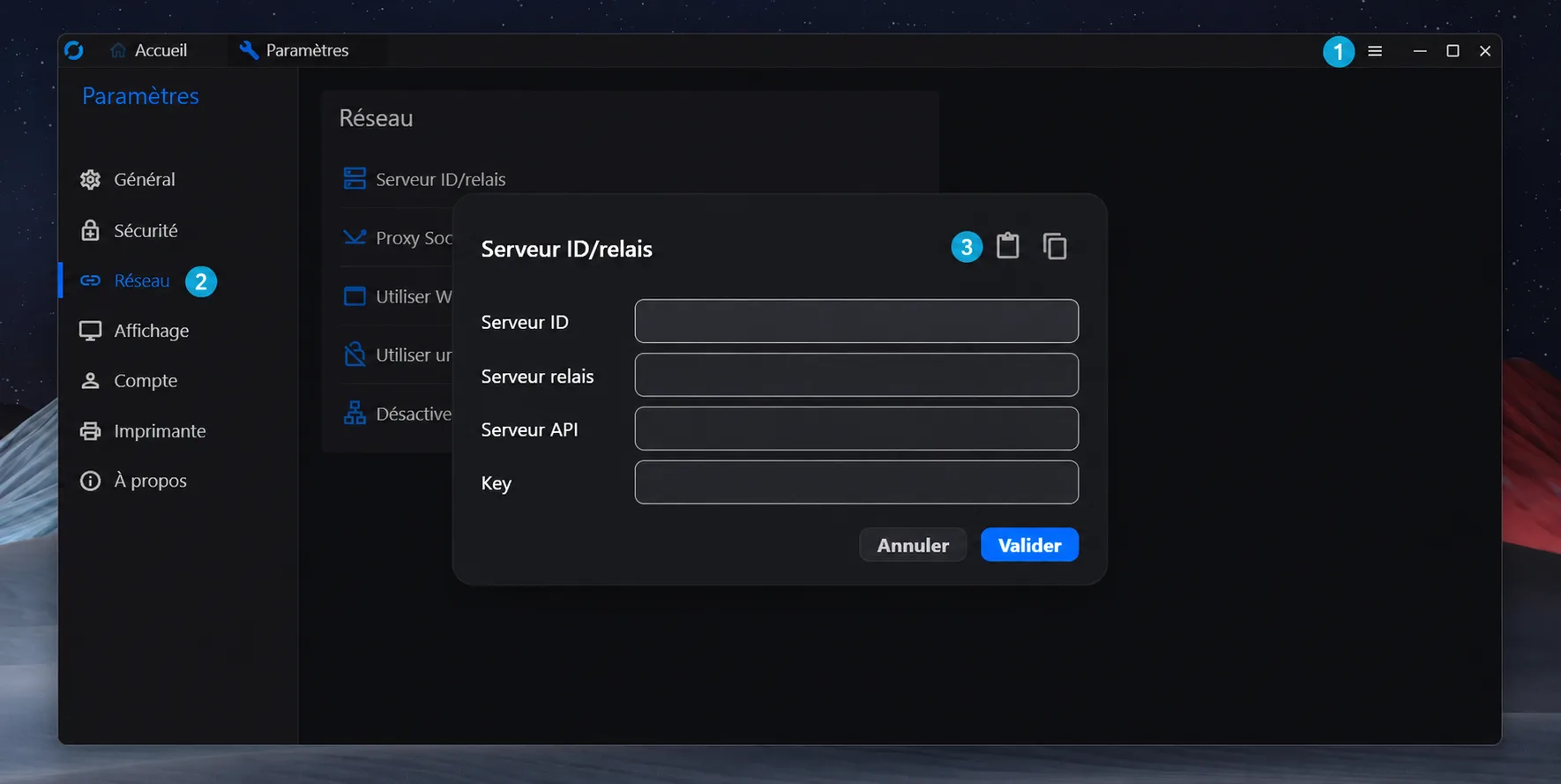
After copying the configuration, return to RustDesk and click the marked icon 3 to paste it. Confirm the settings; the button does not download a file.
Billing: Remote support is billed at the current rates.
Let’s discuss your situation
Tell us about your equipment, the issue and your availability. We will suggest a clear next step.